150 DPI vs 300 DPI: Print Quality Comparison
Do you really need 300 DPI for every print? Learn the viewing distance rule and when 150 DPI is more than enough.
Drop your image here
or browse from your device
Calculate manually without an image
Enter pixel dimensions or physical inches/cm to calculate DPI and print sizes directly.
The Viewing Distance Rule
Required DPI is inversely proportional to viewing distance:
• 12 inches (Books, photo albums): 300 DPI
• 2 to 3 feet (Desk frames, wall photos): 180 to 200 DPI
• 3 to 5 feet (Posters, canvas prints): 120 to 150 DPI
• 10+ feet (Trade show banners, storefronts): 75 to 100 DPI
• 30+ feet (Highway billboards): 15 to 30 DPI
Read our comprehensive guide on what 300 DPI means, browse the 300 DPI image size chart, test your files with the 300 DPI checker, or calculate print limits using the print size calculator.
150 DPI vs 300 DPI: Direct Comparison
| Comparison Factor | 150 DPI | 300 DPI |
|---|---|---|
| Pixel Density per Sq. Inch | 22,500 pixels/in² | 90,000 pixels/in² (4× higher density) |
| Recommended Viewing Distance | 3 to 5+ feet (arm's length or farther) | 10 to 14 inches (close handheld viewing) |
| Ideal Print Media | Canvas, wall posters, trade show graphics | Photo books, fine art glossy prints, brochures |
| File Weight & Render Time | 75% smaller files; faster uploading | Larger files; maximum close-up sharpness |
| Visual Clarity at 3+ Feet | Sharp and continuous; dots invisible | Razor-sharp; fine details fully resolved |
| Close Inspection (<12 inches) | Slight softness or pixelation visible | Continuous-tone photographic quality |
Pixel Requirements: 150 DPI vs 300 DPI
| Print Size | Required Pixels at 150 DPI | Required Pixels at 300 DPI | Difference |
|---|---|---|---|
| 8 × 10 inches | 1200 × 1500 px (1.8 MP) | 2400 × 3000 px (7.2 MP) | 300 DPI requires 4× total pixels |
| 11 × 14 inches | 1650 × 2100 px (3.5 MP) | 3300 × 4200 px (13.9 MP) | 300 DPI requires 4× total pixels |
| 12 × 18 inches | 1800 × 2700 px (4.9 MP) | 3600 × 5400 px (19.4 MP) | 300 DPI requires 4× total pixels |
| 24 × 36 inches | 3600 × 5400 px (19.4 MP) | 7200 × 10800 px (77.8 MP) | 300 DPI requires 4× total pixels |
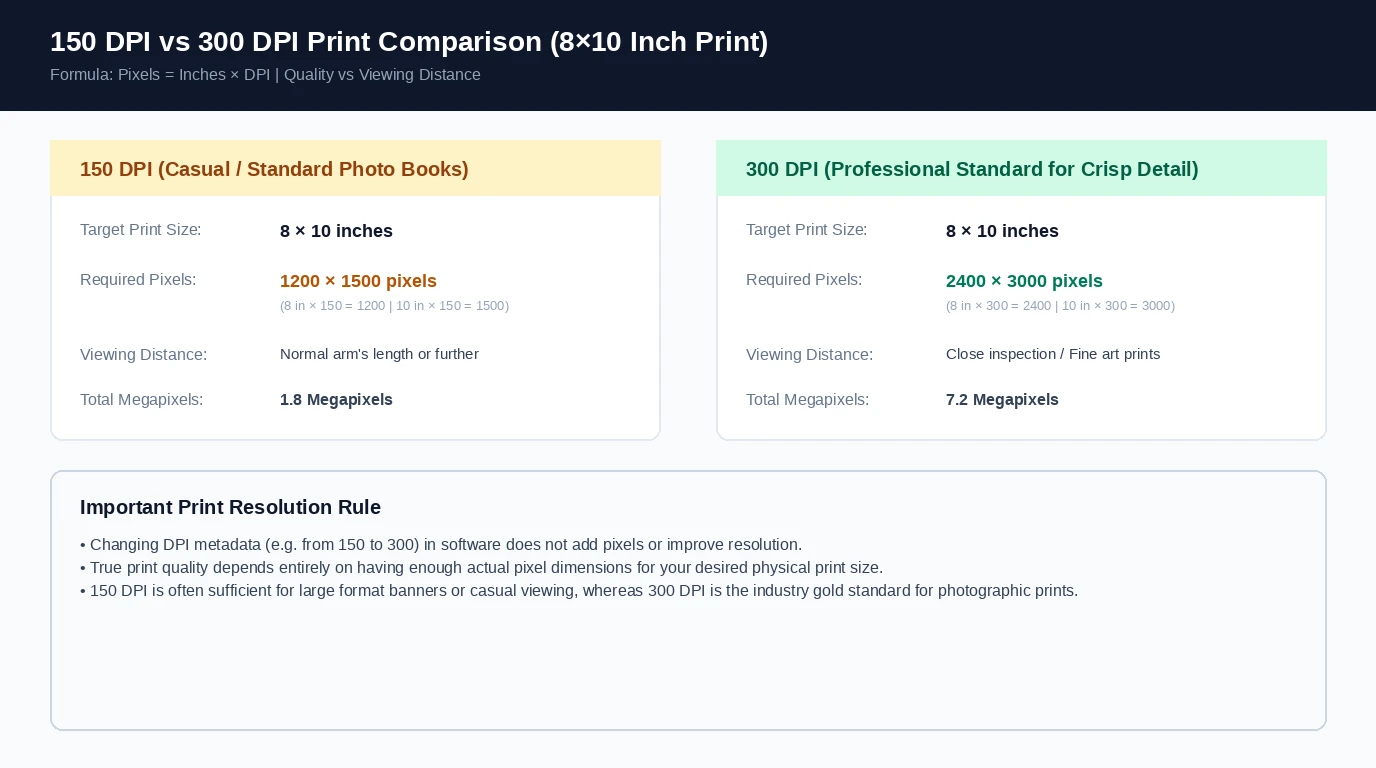
Comparative Infographic: 150 DPI vs 300 DPI for Print
Comparison of required pixel dimensions for an 8×10 inch print at 150 DPI versus 300 DPI, highlighting viewing distances and clarifying that changing DPI metadata does not add pixels or improve resolution.
Frequently Asked Questions
Not when viewed from normal wall distance (3 feet or more). It will look clean and sharp. Up close at 6 inches, you will notice slight softness.