Image Print Size Calculator
Find out exactly how large your image can be printed without losing clarity, pixelating, or blurring.
Drop your image here
or browse from your device
Calculate manually without an image
Enter pixel dimensions or physical inches/cm to calculate DPI and print sizes directly.
How Print Size Is Calculated From Image Pixels
The physical dimensions of a printed image are calculated directly from its pixel dimensions and target print density:
Print width (inches) = Pixel width ÷ DPI
Print height (inches) = Pixel height ÷ DPI
For example, an image with 4000 × 3000 pixels printed at 300 DPI yields:
Width: 4000 ÷ 300 ≈ 13.33 inches (33.87 cm)
Height: 3000 ÷ 300 = 10.00 inches (25.40 cm)
The actual recommended print resolution can vary depending on your viewing distance, the printing method, the paper or canvas substrate, and the intended use of the final piece.
Print Size and Viewing Distance
Human visual acuity perceives fine detail based on how close the viewer is to the printed surface. Larger prints designed to hang on walls or display stands are viewed from farther away, allowing lower effective resolution targets without perceptible loss in visual quality:
| Print Type | Typical Viewing Distance | Common Effective Resolution |
|---|---|---|
| Handheld Prints & Photo Books | 10 to 14 inches (25–35 cm) | 300 DPI |
| Small Framed Wall Art (e.g. 8×10) | 2 to 3 feet (0.6–1.0 m) | 200–300 DPI |
| Medium Posters & Art Prints (e.g. 12 × 18) | 3 to 4 feet (0.9–1.2 m) | 150–240 DPI |
| Large Posters (e.g. 24×36) | 4 to 6 feet (1.2–1.8 m) | 150–200 DPI |
| Exhibition Graphics & Banners | 10+ feet (3+ m) | 72–100 DPI |
For standard print dimension lookups, explore our 300 DPI image size chart or use our reverse image size calculator to compute required pixels from physical inches or centimeters.
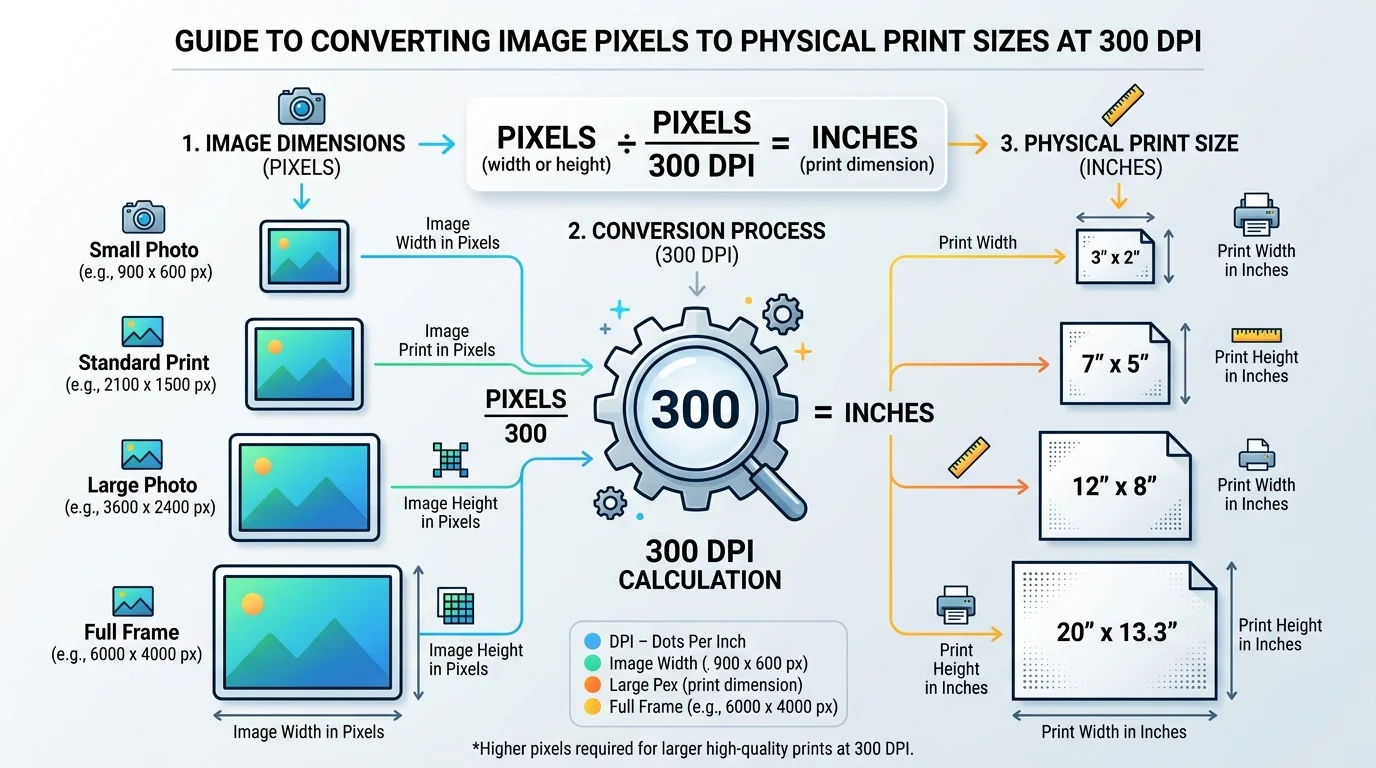
Visual Guide: Pixels to Physical Print Size
This technical diagram illustrates how digital pixel dimensions divide by 300 DPI to determine exact physical print dimensions in inches.
Frequently Asked Questions
Divide your image width and height in pixels by your target DPI. For example, a 3600 × 2400 pixel image divided by 300 DPI yields a maximum sharp print size of 12 × 8 inches at fine art quality.