How to Check the DPI of an Image
Use this free online DPI checker to inspect image DPI metadata, check pixel dimensions, and verify print resolution before printing.
Drop your image here
or browse from your device
Calculate manually without an image
Enter pixel dimensions or physical inches/cm to calculate DPI and print sizes directly.
How to Check Image DPI Online (Quick Answer)
To check the DPI of an image online, use the free image DPI checker at the top of this page:
1. Upload or drag and drop your photo into the checker box above (or click "Open Manual Calculator" if you already know your pixel dimensions).
2. View your image's DPI metadata and pixel dimensions: The tool immediately reads your file's internal header (JFIF/EXIF for JPEG, pHYs chunk for PNG) and displays its embedded DPI tag, width, height, and megapixels.
3. Review your print resolution: Check the effective print size and print readiness badges to see if your image meets high-quality 300 DPI standards or calculate custom dimensions with the image print size calculator.
All inspection runs client-side directly in your browser, so your files remain private on your computer or phone.
How to Check Image DPI and Resolution on Windows and Mac
If you prefer to check photo DPI or pixel dimensions directly on your computer without using an online DPI checker, here is how to find the information on common desktop operating systems:
• On Windows (File Explorer):
Right-click the image file → Select "Properties" → Click the "Details" tab → Scroll down to the "Image" section. Here you will find "Horizontal resolution" and "Vertical resolution" (expressed in dpi), as well as pixel dimensions. Note that Windows File Explorer displays DPI metadata reliably for JPEG and TIFF files, but often does not show DPI values for PNG or WebP files, displaying only their pixel width and height.
• On Mac (Apple Preview):
Double-click the image to open it in Preview → Press Command + I (or choose Tools > Show Inspector) → Click the "General Info" tab (the "i" icon). If the file contains resolution tags, you will see "Image DPI" alongside the document size in inches and pixel dimensions. For JPEG files, you can also check the Exif or JFIF tabs for embedded density markers.
• In Photo Editing Software (e.g., Photoshop, GIMP):
Open the image and navigate to Image > Image Size. This dialogue box shows pixel dimensions, document physical dimensions (inches or cm), and the resolution in pixels/inch (PPI/DPI).
DPI vs. PPI: Understanding Image Resolution
When learning how to check picture DPI, it helps to understand why the terms DPI and PPI are often confused:
• PPI (Pixels Per Inch) measures digital image density: the number of actual image pixels allocated across each physical linear inch of printed output.
• DPI (Dots Per Inch) measures printer hardware output: the physical number of micro-droplets of ink that a commercial press or inkjet printer deposits on paper per linear inch.
In digital design and everyday photography, people use "DPI" to mean "PPI". What truly dictates print sharpness is your image's pixel dimensions divided by the physical print size. Use this formula:
Effective PPI = Image Pixel Dimension ÷ Print Dimension in Inches
You can compute this automatically with our image print size calculator. For example, if your photo is 2400 × 3000 pixels and you print an 8 × 10 image resolution:
• 2400 pixels ÷ 8 inches = 300 PPI
• 3000 pixels ÷ 10 inches = 300 PPI
Crucial note: Changing an image DPI metadata value in software (e.g., changing a file tag from 72 to 300 without resampling) simply alters a header tag. It does not create additional image pixels or restore missing optical detail.
What Does It Mean If Your Image Has No DPI or Shows 72 DPI?
Many users checking an image DPI metadata tag notice that their file has no DPI listed at all, or defaults to 72 DPI or 96 DPI:
• No DPI Metadata: Modern smartphones, social media downloads, and web export tools frequently strip or omit DPI metadata tags to reduce file size. This does not mean the photo is low quality—it simply means no default print scaling was specified in the file header.
• 72 DPI or 96 DPI Defaults: 72 DPI and 96 DPI are historical screen-display standards. Many graphics applications tag saved web graphics as 72 DPI by default. A 4000 × 3000 pixel camera photo tagged as 72 DPI still contains 12 megapixels of raw data; when printed at 8 × 10 inches, it yields an ultra-sharp 300+ PPI regardless of what the metadata tag says.
Whether an image has enough resolution for printing depends on its total pixel dimensions, the intended print size in inches, and typical viewing distance—not an arbitrary metadata tag. If a print lab or submission form requires a file tagged with a specific DPI number, you can easily change image DPI without re-encoding or losing pixel detail.
Next Steps: What to Do After Checking Your Image DPI
Once you inspect your image's DPI and pixel dimensions, choose your next step based on your project requirements:
• If Resolution Is Sufficient:
If your image's pixel dimensions divided by your target print size yields 300 DPI (or 150–200 DPI for wall art), your file is ready to print at your intended physical size.
• If a Print Lab Requires 300 DPI Metadata:
Some commercial print labs and submission portals require an explicit 300 DPI header tag to pass automated checks, even if your file already has plenty of pixels. You can use our free tool to change image DPI to update supported JPEG or PNG headers without resampling or recompressing the image. Crucially, changing metadata tags does not increase pixel dimensions or create new optical detail.
• If Pixel Dimensions Are Too Low:
If your image has too few pixels for your target print size, you should either print at a smaller physical size using the image print size calculator to determine your maximum sharp dimensions, or resize and resample your file using the image resizer.
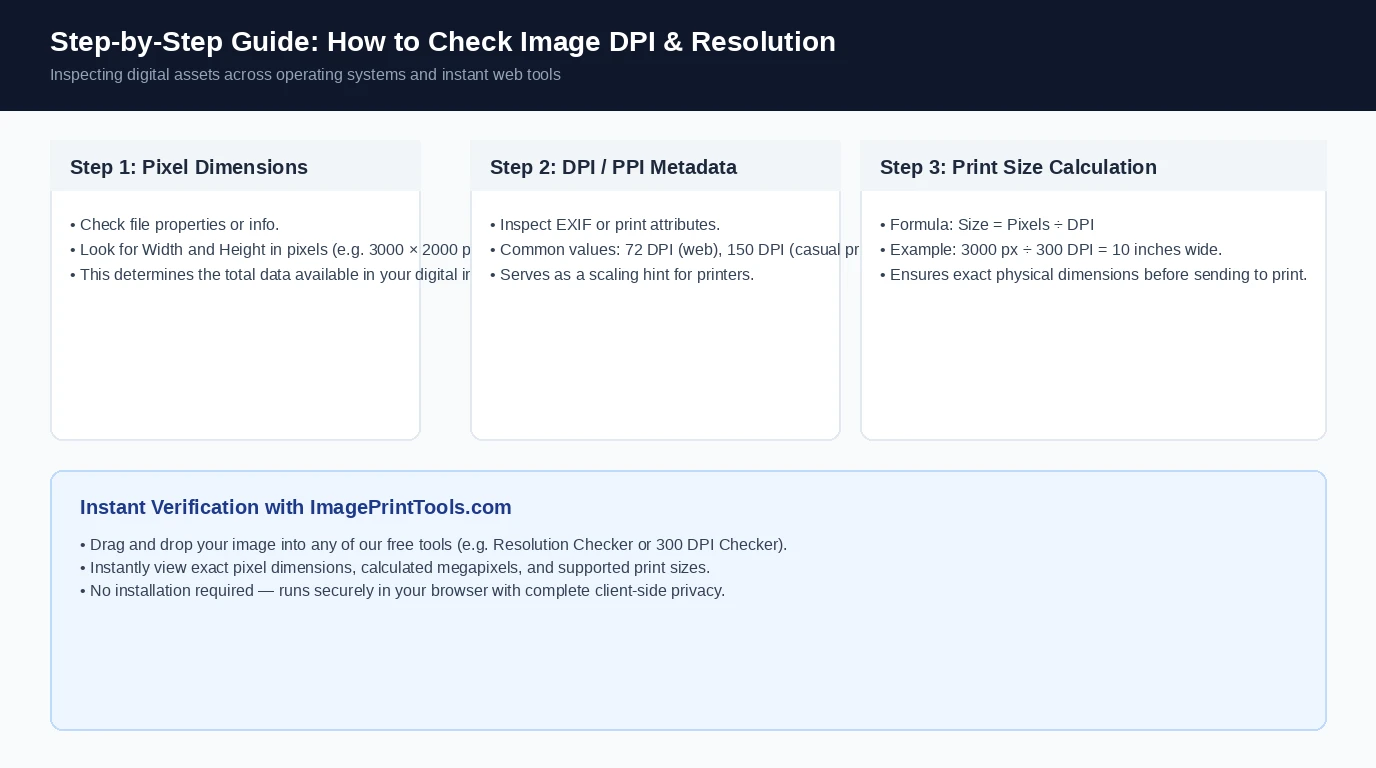
Step-by-Step Guide: How to Check Image DPI and Resolution
Step-by-step visual guide explaining how to inspect pixel dimensions, locate print resolution metadata, calculate physical print sizes, and verify image quality online.
Frequently Asked Questions
Drop your photo into the online DPI checker at the top of this page. The tool reads your image file header instantly and displays its embedded DPI metadata, width, height in pixels, total megapixels, and print readiness ratings.